







Technology can make life with a blind dog easier when it supports a safety routine rather than trying to replace one. A GPS tracker can help you find a dog who slips through a gate, a phone reminder can keep charging and medication questions on your radar, and a carefully introduced sound or touch cue can make a familiar route easier to understand. None of these tools restores vision, diagnoses an eye problem, or guarantees that a dog will avoid every hazard. Choose equipment around your dog’s hearing, comfort, mobility, temperament, and daily environment.
This is practical, educational guidance about assistive tools and their limits. A change in vision, balance, behavior, or comfort is not a diagnosis or treatment plan, and this article does not prescribe medication or doses. If vision loss is sudden, your dog seems painful, or an eye looks red, cloudy, swollen, displaced, or injured, contact a veterinarian promptly. The Merck Veterinary Manual overview of canine eye disorders is useful background, but it cannot replace an examination or a veterinary ophthalmology referral.
What technology can—and cannot—do
Start with the hazard you want to reduce. Location tools address recovery if a dog gets out. Sound, touch, and scent cues support communication. A bumper-style accessory may reduce some head-level collisions. Cameras and activity monitors give a person more information. These are different jobs, and one tool should not be described as if it performs all of them.
- Support: help a person locate, observe, communicate with, or guide a dog through a familiar routine.
- Limits: signal strength, battery life, fit, weather, alert behavior, noise sensitivity, and the dog’s individual response can all affect usefulness.
- Safety: a device should be introduced gradually, checked for rubbing or snagging, and used with the same supervision and physical barriers your dog would otherwise need.
For the foundation, keep furniture, bowls, beds, and walking routes predictable. Our guide to creating accessible spaces for blind dogs covers stable floors, stairs, doors, and rest areas. Technology works best after those everyday hazards are addressed.
GPS trackers: recovery support, not a leash or fence
A GPS tracker can send a location to an app when its device has power, a satellite view, and the required cellular or radio connection. That can be valuable if a dog exits a yard or slips a leash. It does not keep a dog inside a boundary, guide the dog around an obstacle, or tell you why a dog is moving differently. Buildings, trees, terrain, network coverage, map drift, and a flat battery can reduce accuracy or delay an alert.
Compare a tracker by asking simple, testable questions:
- Does it need a subscription, a nearby phone, a home base, or cellular coverage?
- How long does the battery last in your actual routine, and how will you remember to charge it?
- Can you test the alert, location refresh, and safe-area notice before relying on it?
- Is the device light enough for your dog, secure on a well-fitted collar or harness, and free of sharp edges?
- What information does the app collect, and who can access the account?
Keep a leash, secure gate, identification tag, and current contact details in place. A microchip is identification, not live location tracking; the American Veterinary Medical Association’s microchipping guidance explains why it should complement, rather than replace, a collar and tag. Test the tracker on a familiar walk and in the home before treating its map as dependable. Never use a location app as permission to leave a blind dog loose near traffic, water, drops, or unfamiliar animals.
Sound, touch, and scent cues
For many blind dogs, the most useful “technology” is a consistent cue paired with a reward. A phone tone, a small bell on a toy, a spoken phrase, or a gentle touch at the shoulder can signal that food, a turn, a doorway, or a person is nearby. Teach one cue at a time in a quiet place and reward calm orientation. The American Kennel Club’s guidance on supporting blind dogs emphasizes stable routines and sound, scent, and touch as practical ways to communicate.
A vibration feature is not automatically a navigation system. A dog must first learn what a particular, low-intensity signal predicts, and some dogs find vibration startling or uncomfortable. If you try a haptic cue, use positive, low-pressure teaching with a qualified behavior professional when needed. Stop if your dog freezes, hides, pants, avoids the device, scratches at it, or becomes more worried. Do not use shock, punishment, or a device that tightens or activates without your dog’s comfort and a clear training plan.
Sound can help, but more volume is not better. Test a speaker, chime, talking camera, or squeaky toy at a low level and watch your dog’s body language. Avoid sudden announcements beside a sleeping dog. Scent can mark a familiar place, but avoid essential oils and strong fragrances unless your veterinarian confirms they are appropriate; a dog’s sense of smell is not a reason to put concentrated products on the coat, skin, food, or bedding.

Smart-home tools and cameras
Smart-home tools can support the human part of care. A calendar reminder can prompt charging, tag checks, or a daily hazard scan. A night-light can help people see a leash, stair edge, or spilled water even though it does not restore a dog’s sight. A camera can show whether a dog is resting, pacing, or vocalizing while you are briefly away.
Two-way audio deserves caution. A voice coming from an empty room may reassure one dog and startle another; it can also make a dog search for a person who is not there. Test it while you are home, keep messages short, and do not use a camera to justify long unsupervised periods when your dog needs direct help. Protect the account with a strong password and review who can view the feed.
Choose tools that remain useful if the internet fails. A physical gate, secure leash, stable bowl, and a known verbal cue should still work when an app is offline. If your dog has difficulty finding food, water, a bed, or a door, ask your veterinarian about the change instead of trying to solve a possible health problem with another gadget.
Wearables, bumpers, and visibility aids
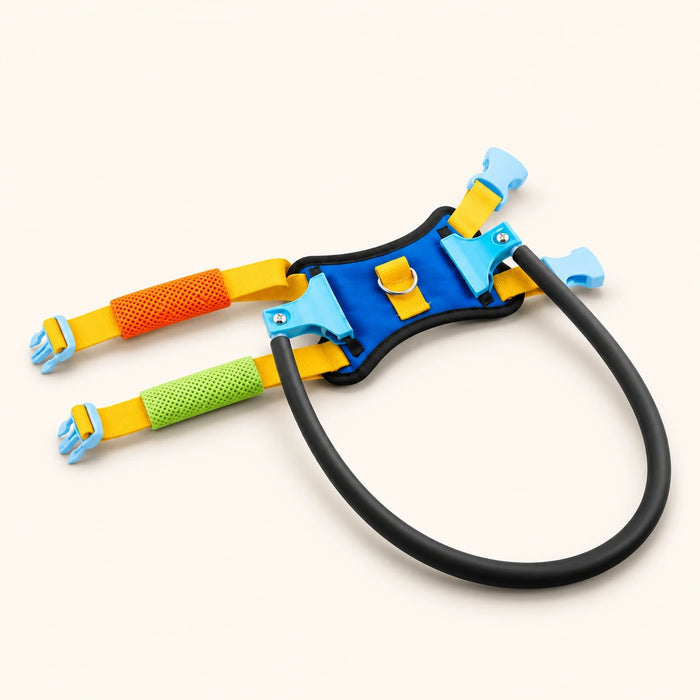
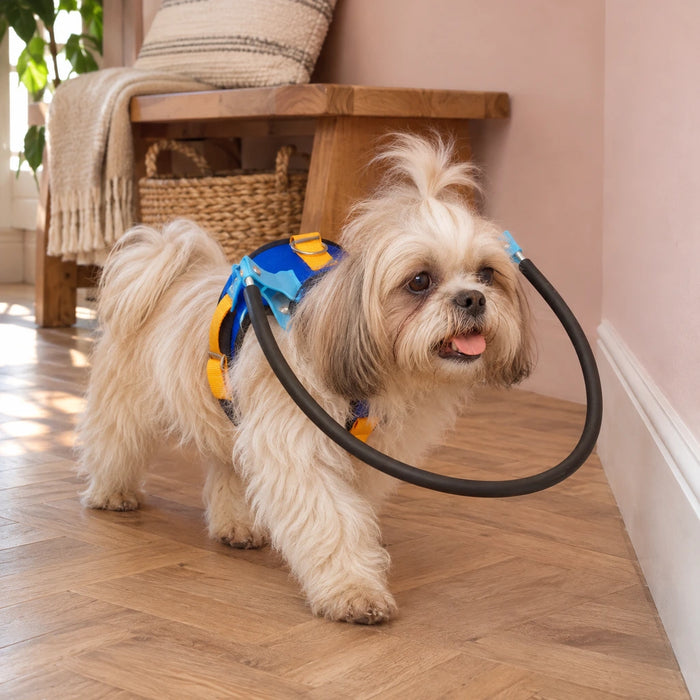
A well-fitted harness can make a person’s guidance more predictable than pulling on a collar. A bumper or halo-style accessory may help some dogs notice an obstacle before their face reaches it, but it cannot protect against stairs, pools, open doors, traffic, or another animal. Introduce it indoors for short, calm sessions. Check that your dog can breathe, turn, sniff, eat, drink, rest, and move their shoulders normally. Inspect the skin and fur after each early session.
The VCA overview of collar and harness options is a useful reminder that fit and pressure matter. Our Halo Safety Ring for Blind Pets is an example of a bumper-style accessory, not a medical device or a substitute for supervision. Stop using any wearable that rubs, slips, traps a paw, changes breathing, or makes your dog distressed.
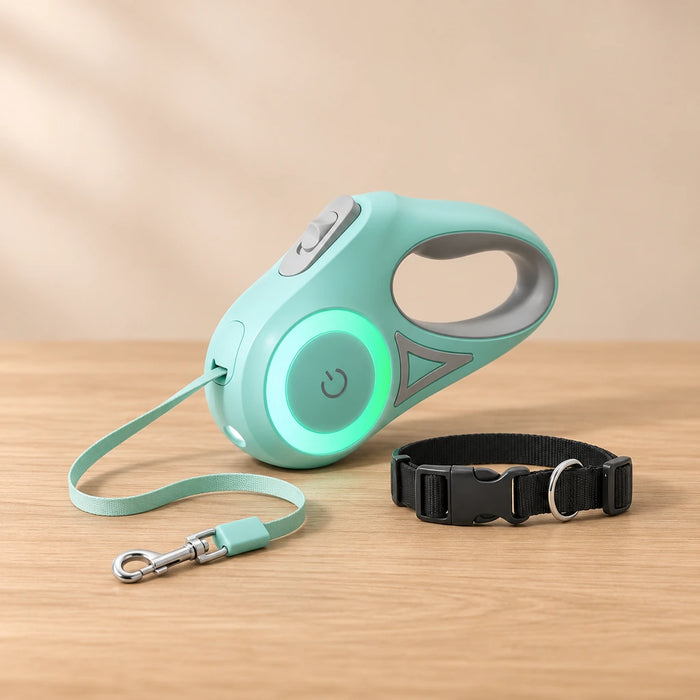
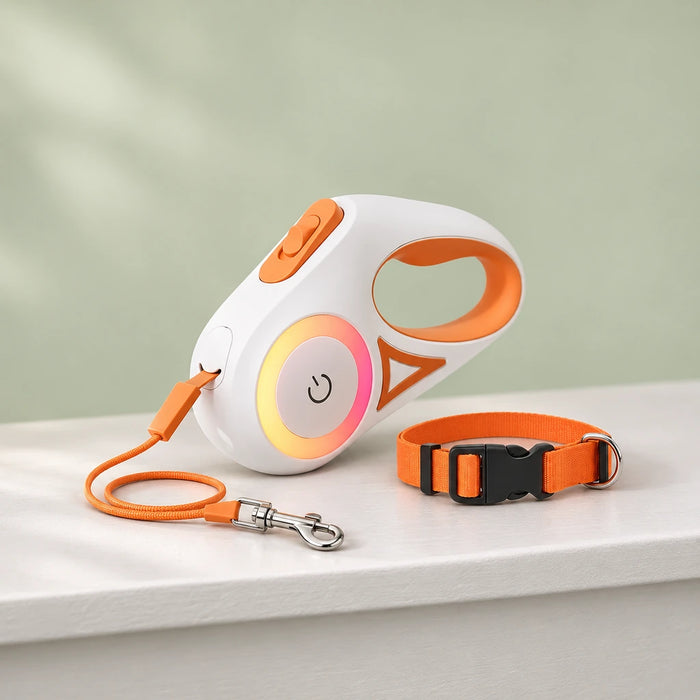
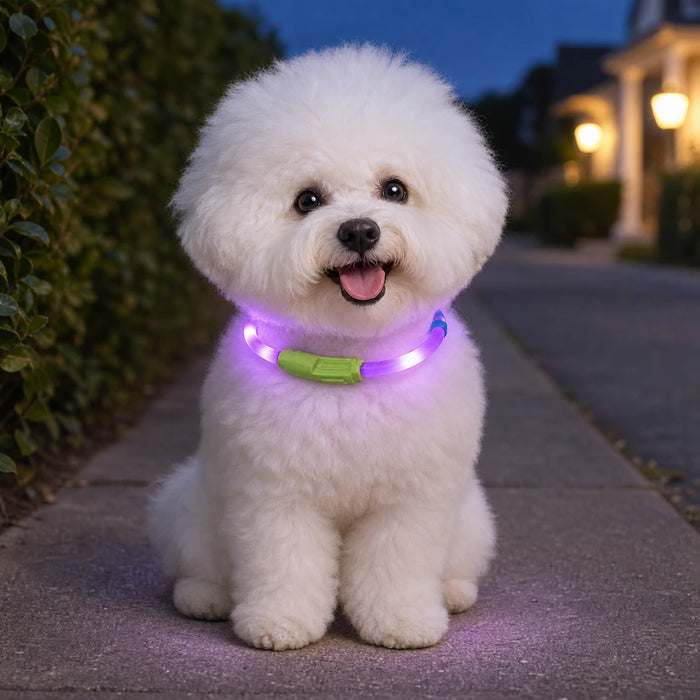
LED leashes and glowing collars mainly help people see a dog in dim conditions. They do not show the dog where to walk and should not be treated as a substitute for a secure leash. Before a night walk, check the battery, buckle, leash connection, and reflective or illuminated area. Our LED retractable dog leash and rechargeable LED dog collar are product options to evaluate for visibility, fit, and handling—not promises of safer behavior.
Activity and health monitors: useful trends, not a diagnosis
Some wearables estimate activity, rest, heart rate, respiration, temperature, or location. The Texas A&M Veterinary Medicine discussion of pet activity monitors describes both possible uses and limitations, including the importance of correct fit. Treat the dashboard as a source of observations to discuss with your veterinarian, not as a home diagnostic test.
Look for a meaningful pattern rather than one unexpected number. A device can move, lose contact, run out of battery, or record a value outside the conditions in which it was tested. Note what happened alongside the reading: sleep, exercise, heat, anxiety, appetite, pain, coughing, stumbling, or a collision. Seek veterinary advice for a concerning change, and do not delay care while waiting for an app to confirm it.
How to choose and introduce one tool
- Name the problem: recovery after an escape, communication, nighttime visibility, obstacle contact, or observation while you are nearby.
- Measure the dog: check weight, neck or chest fit, device weight, attachment points, and whether the dog can move naturally.
- Check the limits: battery, connectivity, subscription, privacy, water resistance, alert delay, return policy, and support.
- Introduce it slowly: let your dog sniff it, pair it with food or play, and begin in a familiar room for a short period.
- Test the real routine: check the alert, app, buckle, leash connection, and charging habit before an unfamiliar walk.
- Keep the old safety layer: stable routes, gates, physical supervision, identification, and a veterinary plan stay in place.
Change one variable at a time so you can tell whether the device helps. Keep notes on relaxed movement, avoidance, scratching, vocalizing, sleep, and appetite. If the tool makes your dog less comfortable, remove it and ask a veterinarian or qualified behavior professional for another approach. For positive, low-pressure cue work, see our guide to training blind dogs.
When a vet should lead the decision
Technology cannot restore sight, repair an eye, cure a neurological problem, or predict a recovery date. There is no fixed training, adjustment, or recovery timetable that applies to every dog. Contact your veterinarian promptly for new bumping, disorientation, balance changes, altered pupils, redness, cloudiness, discharge, squinting, severe or persistent eye pain, sudden vision loss, or a sudden change in behavior. An eye that is red, cloudy, bulging, or displaced, plus any eye or head trauma or chemical exposure, warrants urgent veterinary advice; seek emergency care for collapse, seizure, severe weakness, or breathing trouble. Our vision-loss overview and blind-dog care guide can help you prepare questions, while your veterinarian decides what examination or referral is appropriate.
Keep technology in its proper role: it can add information or make a familiar cue easier to repeat, but your dog’s comfort and a person’s attentive care remain the safety system. For post-operative or mobility questions, use your veterinarian’s plan and our rehabilitation and post-surgery care guide only as general reading.

FAQ
Does a GPS tracker replace a microchip or a leash?
No. A tracker may report a location while it has power and a usable connection. A microchip helps identify a found pet, and a leash, secure gate, and supervision prevent many escapes. Use these layers together.
Can a vibration collar guide a blind dog?
Only as a learned cue for some dogs, and only when introduced gently and consistently. It is not an automatic navigation system. Stop if your dog appears worried or uncomfortable, and ask a qualified behavior professional for help.
Can a camera or activity monitor tell me if my dog is sick?
No. They can show observations or trends, but they cannot diagnose illness. Share concerning changes with your veterinarian rather than waiting for an app alert.
Will technology help my dog regain vision or recover faster?
No device can promise restored vision, a cure, or a fixed adjustment or recovery timeline. Use tools for practical support while your veterinarian addresses medical questions.